
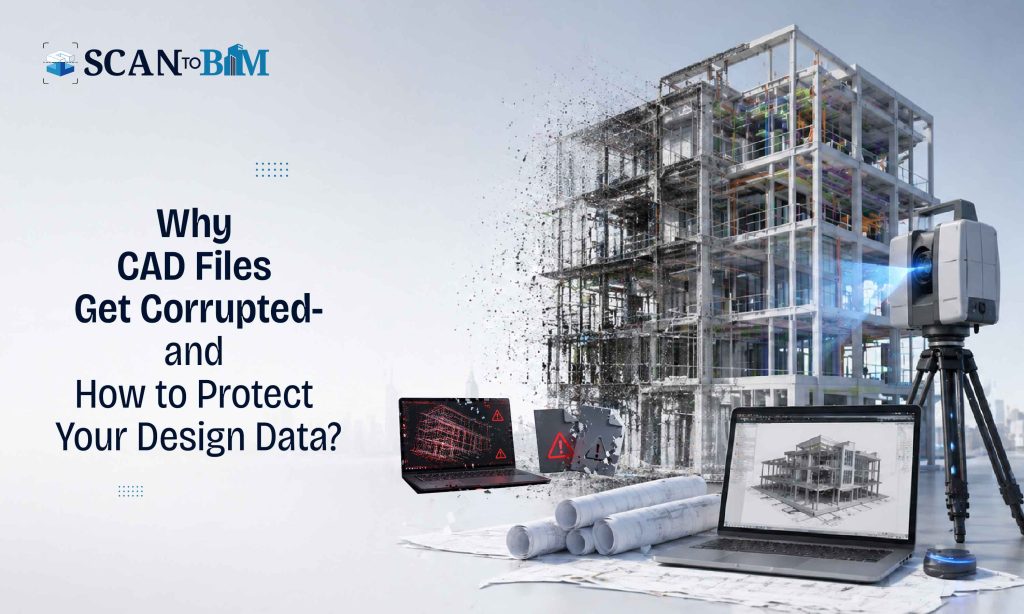
In today’s design-driven AEC workflows, CAD files are more than just drawings—they are the critical data assets that drives the design decisions, coordination, fabrication and construction. However, file corruption remains one of the most underestimated risks in the digital design environments. A single corrupted file can disrupt the timelines, compromise the data integrity and lead to costly reworks.
This blog explores the technical causes of the CAD file corruption, its impact on projects and practical strategies for recovery and prevention.
Understanding CAD File Corruption
CAD file corruption occurs when the integrity of a file is compromised thus making it partially or completely unreadable by the software such as AutoCAD, Revit or other design platforms. Corruption may manifest as:
- Failure to open files
- Missing or distorted geometry
- Unexpected crashes during editing
- Loss of layers, blocks or annotations
- File size anomalies or abnormal lag
Unlike simple software glitches, corruption often affects the embedded data structures within the file thereby making the recovery complex.
Key Causes of CAD File Corruption
- Software Crashes & Improper Shutdowns
Unexpected system shutdowns or application crashes during the file saving can interrupt the write processes thus leading to incomplete or damaged files.
- Network & Storage Issues
Working on CAD files over the unstable networks or cloud drives can introduce the data packet loss. Similarly, the bad sectors on hard drives or SSD failures can corrupt the stored files.
- Version Compatibility Conflicts
Opening files across incompatible software versions or using the third-party plugins can distort the data structures, especially in the collaborative environments.
- Excessive File Complexity
Highly detailed models with heavy Xrefs, large point clouds or dense meshes increases the likelihood of memory overflow and corruption.
- Malware & Security Threats
Viruses or ransomware attacks can encrypt or damage the CAD files, rendering them unusable.
Risks & Impact on Projects
Data Loss & Rework
Corrupted files can result in partial or complete loss of design data, forcing teams to recreate the drawings from scratch.
Project Delays
Downtime caused by the file recovery attempts or redesign can disrupt the project schedules, especially during the critical submission stages.
Coordination Failures
In BIM workflows, corrupted files can break the model coordination thereby leading to the clashes, errors and miscommunication across disciplines.
Financial Implications
Reworks, delays and resource reallocation directly impacts the project budgets and profitability.
Recovery Strategies for Corrupted CAD Files
- Built-in Repair Tools
Most CAD software provides recovery utilities:
- AutoCAD: RECOVER / AUDIT commands
- Revit: Audit option during file opening
These tools attempt to identify and fix the inconsistencies in file structures.
- Backup & Autosave Retrieval
Always check:
- .bak (backup files)
- .sv$ (autosave files)
These can often restore a recent working version with minimal data loss.
- Partial Data Extraction
In severe cases, importing corrupted files into a new file or using tools like WBLOCK (AutoCAD) can help salvage the usable elements.
- Third-Party Recovery Tools
Specialized recovery software can reconstruct the damaged CAD files, though success depends on the level of corruption.
- Rebuilding from References
If direct recovery fails, leveraging Xrefs, PDFs or exported formats can help to reconstruct the critical portions of the design.
Prevention: Best Practices for CAD Data Integrity
- Implement Version Control
Use structured file naming and versioning systems to maintain the multiple recoverable iterations of a file.
- Work Locally, Sync Globally
Avoid directly editing files over the unstable networks. Work on the local copies and sync periodically to the cloud or shared drives.
- Optimize File Size & Structure
- Purge unused elements regularly
- Limit excessive Xrefs and complex geometries
- Use efficient layer and block management
- Regular Backups
Automate backups using the cloud storage or internal servers with redundancy (RAID systems).
- Software & Hardware Maintenance
- Keep software updated
- Use reliable hardware with sufficient RAM and SSD storage
- Regularly scan for malware
- Data Validation Protocols
Introduce QA/QC workflows to audit the files at different project stages thus ensuring the early detection of corruption.
Role of Scan-Based Workflows in Mitigating Risks
Modern workflows such as Scan to CAD Services and Scan to BIM Conversion Services play a crucial role in reducing the dependency on the legacy or potentially corrupted files. By reconstructing the models from the point cloud data, teams can:
- Recover the lost geometry with high accuracy
- Validate existing designs against the real-world conditions
- Rebuild the corrupted datasets with minimal manual intervention
These services act as a fallback mechanism, especially in the renovation, retrofit or documentation-heavy projects.
Final Thoughts
CAD file corruption is not just a technical inconvenience—it’s a project risk that can impact the timelines, costs and credibility. While recovery tools can help in damage control, the prevention remains the most effective strategy.
By combining the robust data management practices, optimized workflows and emerging technologies like scan-based modeling, the AEC firms can significantly reduce the likelihood of corruption and ensure the continuity in their design processes.
In a digital-first industry, protecting your design data is as critical as creating it.